CH 01
Endless stations
Start from one artist or genre and the videos keep coming, each one picked from the last.
NOORwave turns your Tidal library into music TV. Pick an artist and it plays one video after another, each one picked from the last.
Free · · Works with Tidal · Windows, macOS and LinuxAlso for WindowsWindows portablemacOSAll downloads ↓
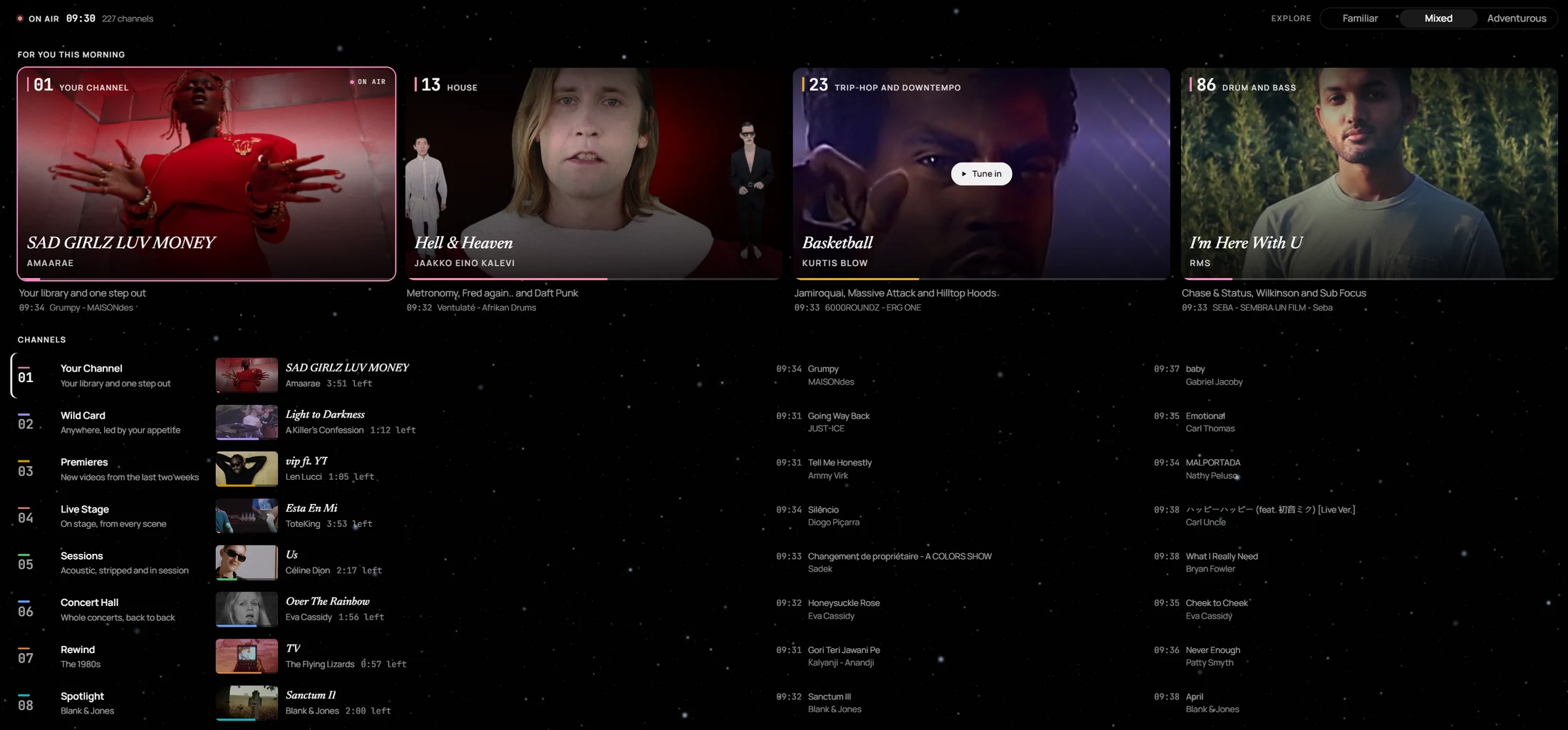
Start with one artist. End up three scenes away.
Your songs, with the videos they came with.
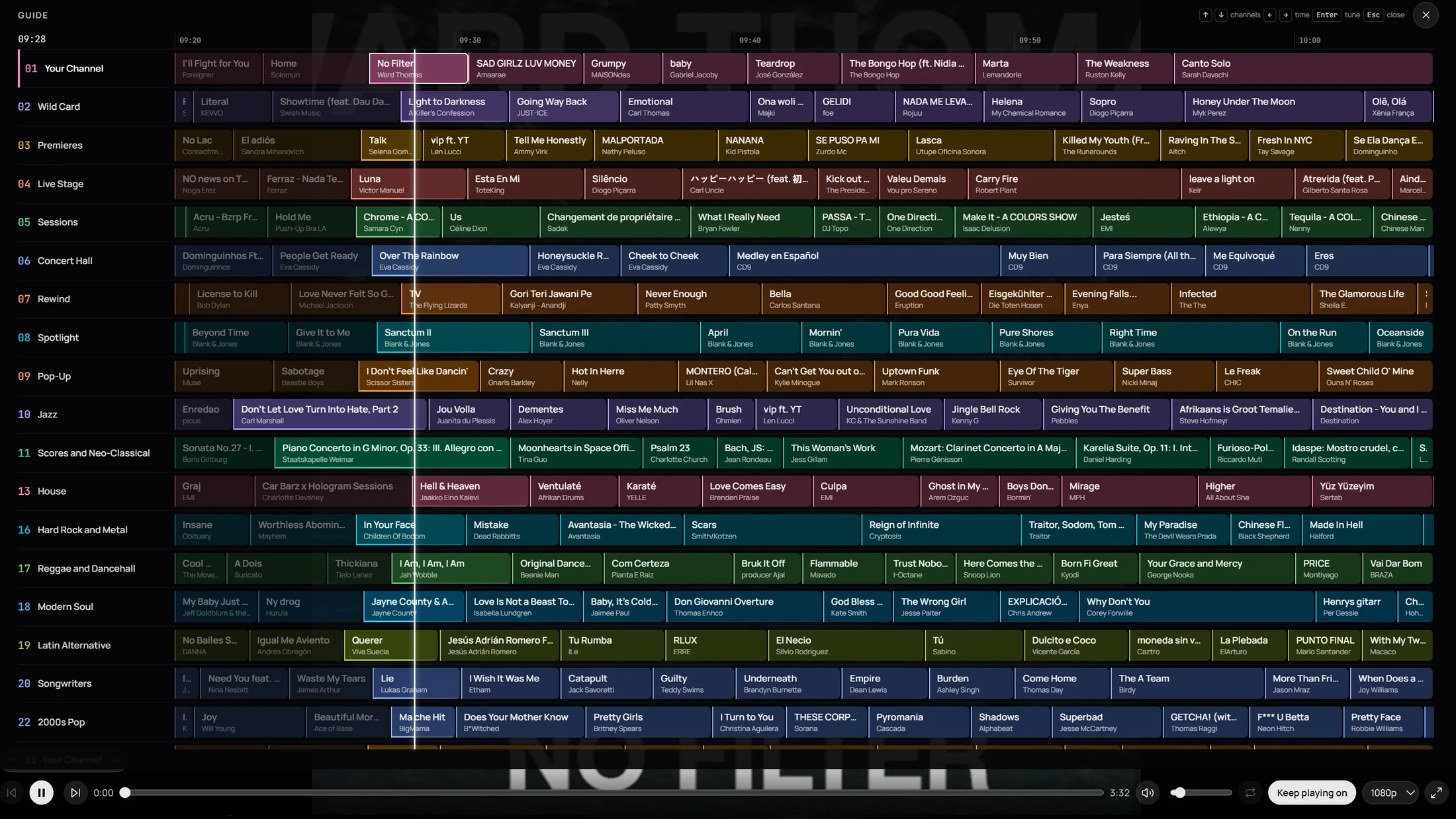
Dozens of channels built from what you love, over a hundred on a big library, from Your Channel to Jazz, House and Hard Rock. The guide shows what's on now and next. Flick through, or just leave it running.
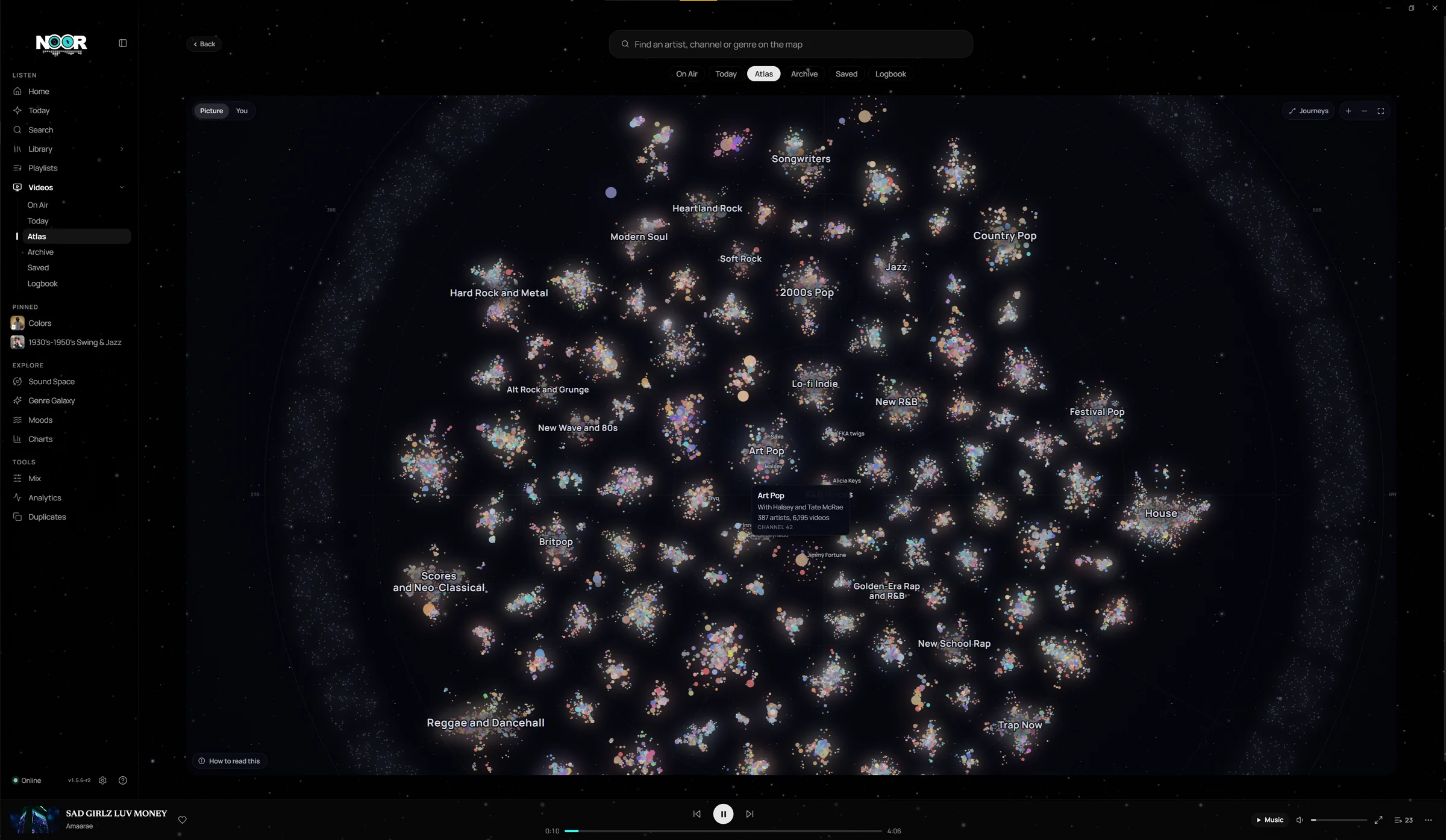
Your artists cluster into scenes like New R&B, Trip-Hop and Reggae and Dancehall. Every scene is a channel. Hover a cluster to see who's in it, or take a journey from one corner to another.
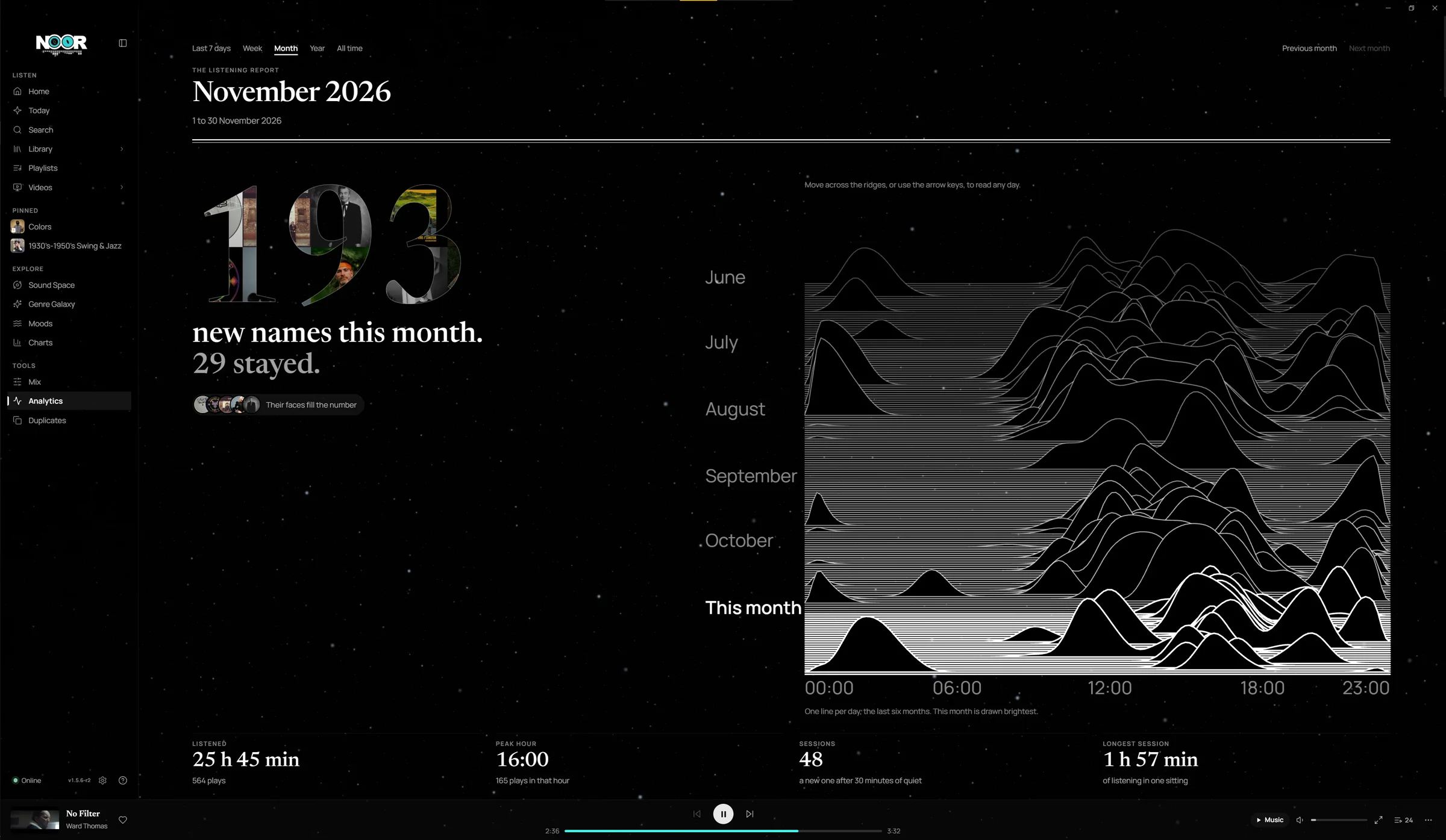
A listening report for the week, month, year or all time. How many new names you found and how many stuck, when you actually listen, and your longest sessions.
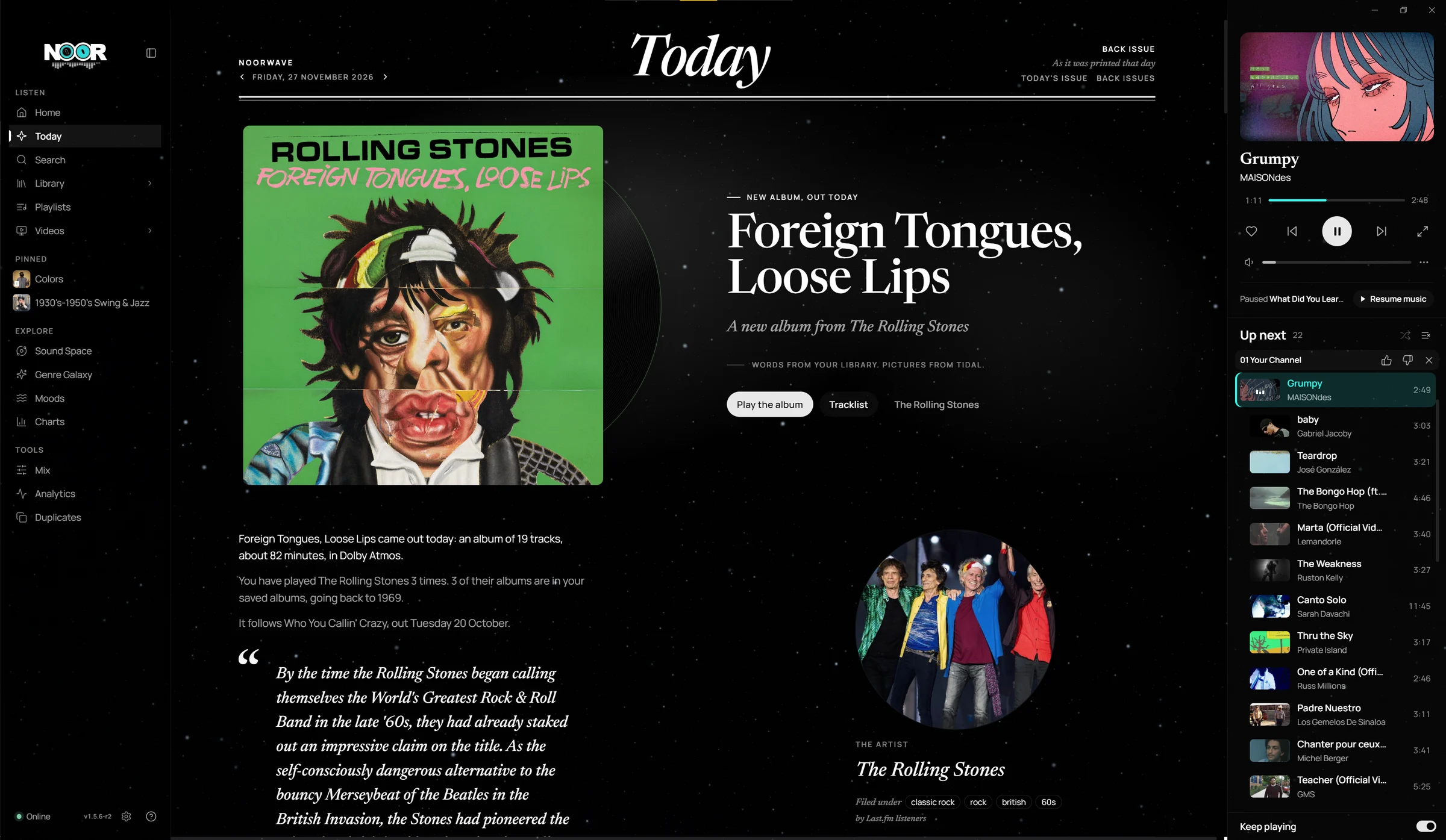
A front page about your music. New albums from artists you play, the story behind them, and how they fit into your library. Flick back through old issues any time.
Start from one artist or genre and the videos keep coming, each one picked from the last.
Every genre in your library on one map, sized by how much you play it. Fly in and start a session from any cluster.
Start from the song that's playing and watch it branch out into songs that sit near it. Queue the lot in one click.
Follow the neighbours of any artist into music you haven't heard yet.
Send channels to a Chromecast or a DLNA smart TV, and control it from the app.
DJ-style transitions between tracks, so the room never goes quiet.
Skip, queue and steer from your phone without leaving the sofa or the dance floor.
Your library lives on your machine in a fast local catalogue, with listening stats only you can see.
Music videos are still the best way to get into an artist, but these days they're stuck behind a search bar. noorwave.app will be music TV in the browser: pick a starting point, and it keeps finding the next good one.
Free. Music video channels, a TV guide, the Atlas and automix, built from your Tidal library. Windows, macOS and Linux.
Nothing to install. Pick an artist, a genre or an era, and noorwave.app plays an endless music video channel from there.
Nothing’s locked in after that. Tell us what you’d want next.
Free for personal use. Pick your system.
Paused for now. We found an install bug that breaks the app, so the Linux download is offline. It comes back as a .deb and an AppImage with v1.3.0.
Back with v1.3.0For Ubuntu, Debian and friends (x86_64). Install with sudo apt install ./NOORwave-*.deb.
libfuse2t64, or run it with --appimage-extract-and-run.
Plain archive (.tar.gz)
Each file's SHA-256 fingerprint for . Compare it with what your computer says: Get-FileHash in PowerShell, shasum -a 256 on macOS, or sha256sum on Linux.
Windows may warn about an unknown publisher
until the installer is code-signed. Click More info, then Run anyway.
It's fast, because everything runs on your own computer. NOORwave builds its own SQLite database of your music locally, so search, channels and the guide answer instantly and your listening data stays with you. It also turns that data into something you can see: the Atlas maps how your artists connect, the Listening pulse charts what you play over time, and the TV guide lays out your channels like a night of music TV.
Yes. The desktop app is free for personal use.
A Tidal account. NOORwave plays through Tidal for now, and more services are planned.
Connect it. Last.fm is what lets NOORwave really know your taste: your play history shapes the channels, the Atlas and the Listening pulse from day one. Setting it up takes about two minutes, and a free Last.fm account is all you need.
NOORwave indexes your library and builds its channels in the background. Give it a few days of normal use and the guide, Atlas and Today fill out.
Start a radio from any song, album or artist. NOORwave asks Tidal and Last.fm for similar music and mixes their suggestions with what it knows about your own listening. Radio, Keep playing and Smart shuffle all work this way.
Most streaming mixes are good at finding new bands. But when a band you already love comes up, you get the same two or three popular songs every time. NOORwave tries to avoid that in two ways:
No. A song you only found in the last three weeks, and haven't played very often yet, doesn't get the rest penalty.
Yes. Settings → Playback → Radio → Discovery controls both how far stations reach from your seed and how deep they dig into a band's songs:
| Setting | Hits | Middle songs | Deep cuts |
|---|---|---|---|
| Familiar | 50% | 40% | 10% |
| Mixed | 30% | 50% | 20% |
| Adventurous | 15% | 45% | 40% |
These are starting defaults and may change as the radio gets tuned.
Yes. It learns how deep to go for each band. Skip a band's deep cuts and its stations lean back toward the songs you know. Play its lesser-known songs all the way through and you'll get more of them.
No. Your listening history stays in NOORwave's local database. Tidal and Last.fm are only asked for similar songs and an artist's top tracks.
The installer isn't code-signed yet, so Windows shows that warning for new apps. Click More info, then Run anyway. To check your file, open Verify your download: it lists each file's fingerprint and its VirusTotal scan.
The Windows installer updates itself. The portable zip and the Linux .deb, AppImage and archive don't: the app tells you when a new version is out and opens this page to download it.
Yes, for Apple silicon Macs (M1 and newer). The Mac build is on v1.2 for now while Windows and Linux get every update; newer Mac builds come back later. It isn't signed by Apple yet, so macOS may block it the first time. Open Terminal in the unpacked folder and run xattr -dr com.apple.quarantine ., or allow it under System Settings → Privacy & Security. Intel Macs can keep using v1.1.0.
Music TV in the browser: personal channels seeded from an artist, a genre, an era or your own listening, plus party playlists for a night in. See What we're building.
Use the form here, or email dev@noorwave.app. Either way it reaches me directly.
The site counts downloads per file without cookies and without storing who you are. If you send a message below, we keep what you type so we can read it and, if you leave an email, reply.